

01
Profile and Proxy
what you see on screen: The profile has a recent update time, but the current proxy is empty, timed out, or cannot be selected.
Action: Refresh the profile once, then keep one responsive proxy selected for every later check. Confirm that the update time changed and record the proxy latency or error. An empty list belongs in Missing Proxies; a selectable proxy that disconnects immediately belongs here. Do not change routing mode to hide a proxy failure.
Success: The proxy remains selected and the dashboard stays connected instead of dropping immediately.
Recovery: If refresh fails or the list is empty, stop changing routing modes and restore the profile from Missing Proxies.
Restore the profile and proxy list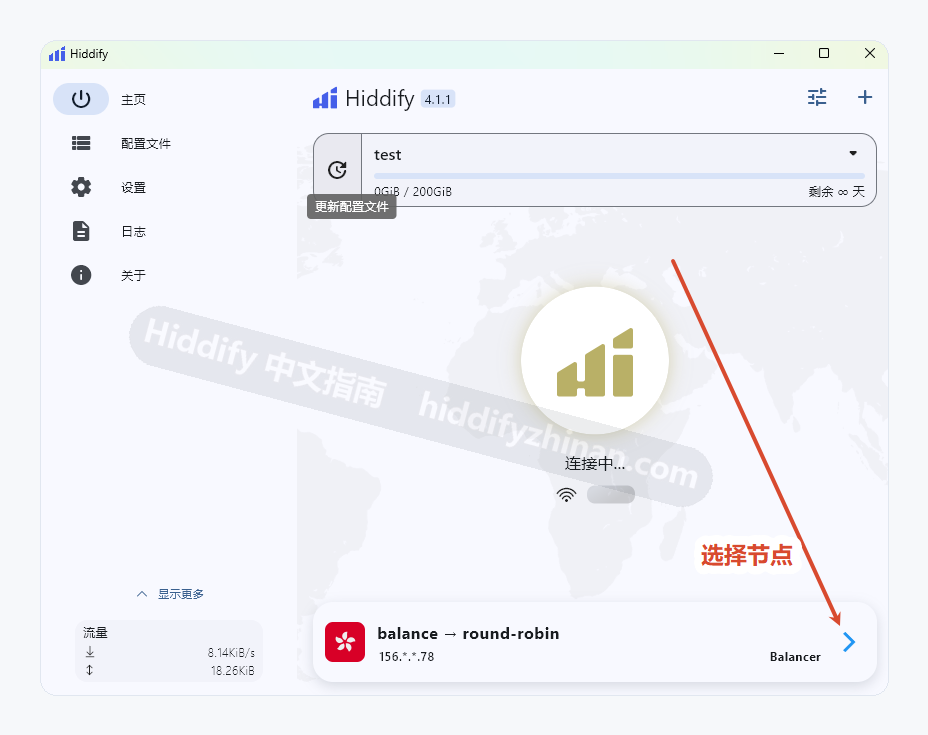
02
Routing Mode
what you see on screen: The proxy stays connected, but the same test page still fails in the target browser or app.
Action: Record the current mode, change only one routing mode that fits the affected app, and retry the same page.
Success: The same target page loads while Hiddify remains connected.
Recovery: If it still fails, restore the original mode and check system proxy next instead of cycling through modes.
Check whether system proxy covers the affected app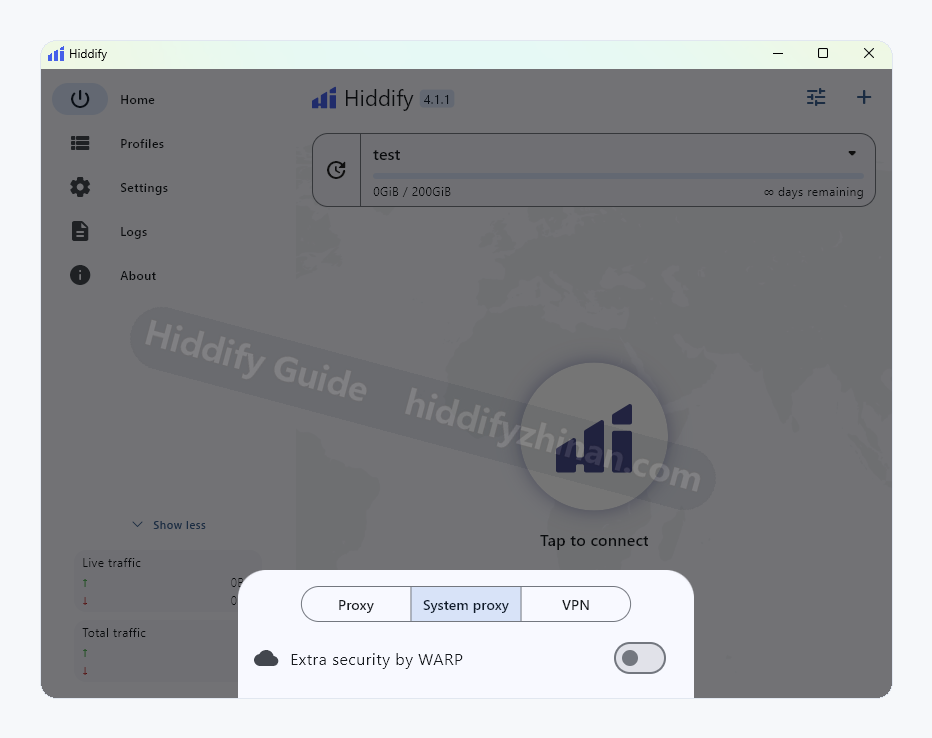
03
System Proxy
what you see on screen: Hiddify says connected, but a browser that follows system proxy still connects directly or has no access.
Action: Enable System Proxy on the dashboard, fully quit and reopen the target browser, and test the same page. Keep the proxy, routing, and DNS unchanged and avoid cached content. When the browser works, disable System Proxy once to confirm the reverse result. If it still fails, restore the original mode rather than jumping directly to TUN.
Success: The restarted browser loads the page, and disabling system proxy reverses that result.
Recovery: Disable system proxy if local access breaks. Evaluate TUN only for an app that ignores system proxy.
Decide whether the affected app needs TUN04
DNS
what you see on screen: An IP address works while domain names fail, or the interface shows a name-resolution error.
Action: Record the current DNS setting, change one option, and retry the same hostname. Keep both the IP-address and hostname results, and leave the proxy and routing mode unchanged. A restored hostname with the same IP result supports the DNS diagnosis. If nothing improves, restore the original DNS and return to proxy or System Proxy checks.
Success: The same hostname resolves and loads without changing the proxy or routing mode.
Recovery: If both IP and hostname fail, restore DNS and return to the proxy or system-proxy checks.
Review when DNS settings apply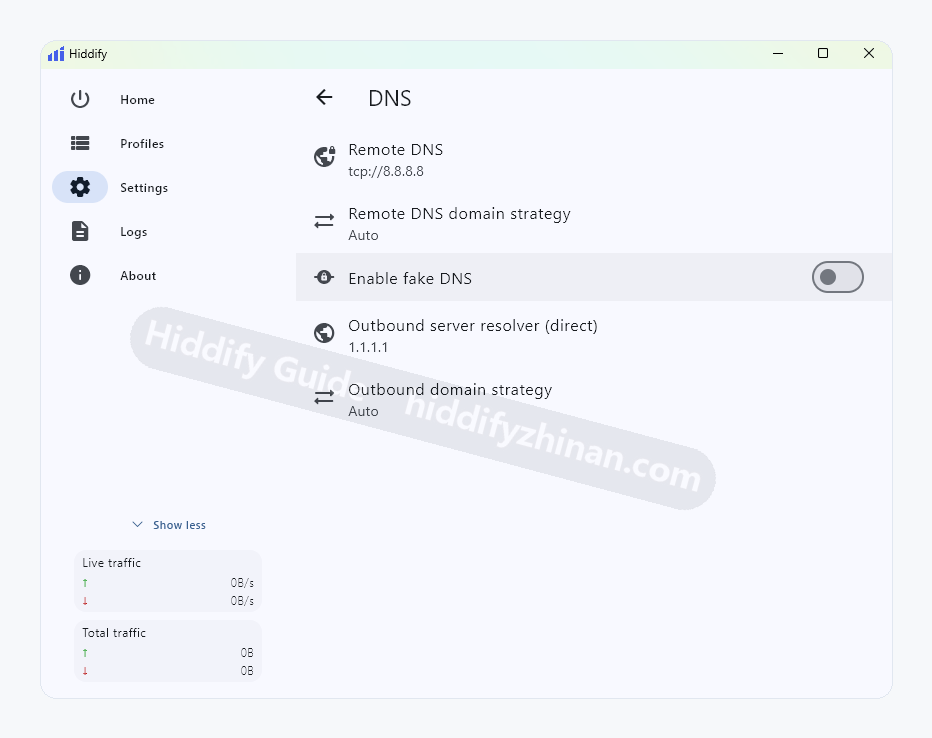
05
Inbound Settings
what you see on screen: Only a custom local port, LAN share, or manually configured app fails while normal system proxy works.
Action: Compare the app host and port with Hiddify inbound settings and correct one mismatched value.
Success: The affected app connects through the recorded local host and port without changing other apps.
Recovery: If no custom inbound is required, restore defaults and leave this branch instead of creating a port for normal use.
Review inbound settings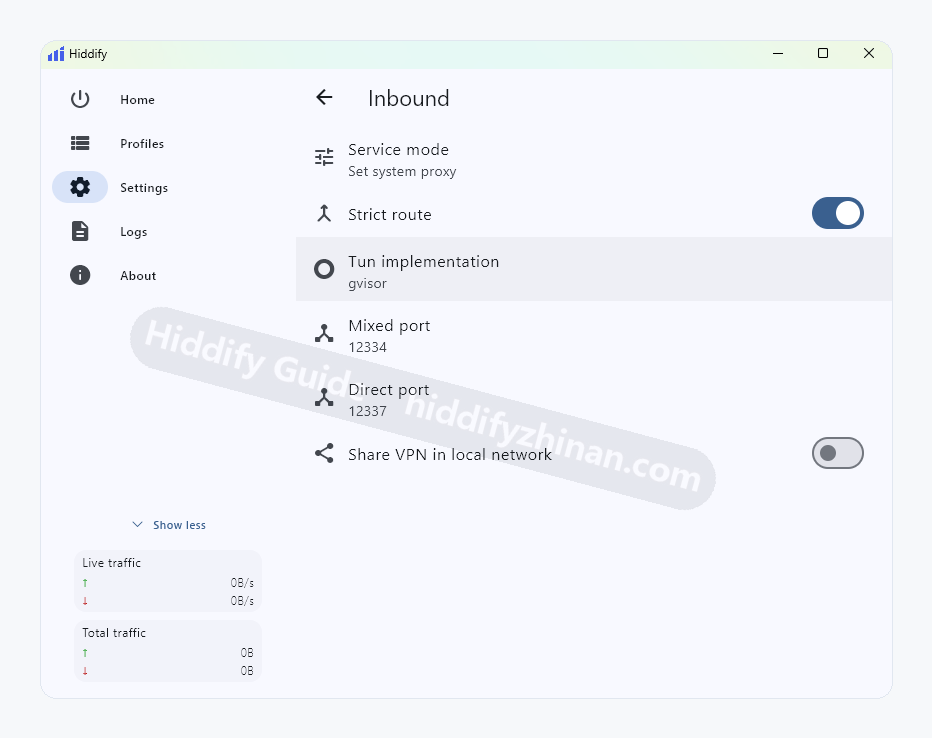
06
TLS Tricks
what you see on screen: Proxy, routing, system proxy, and DNS checks pass, and the current error specifically indicates a TLS handshake failure.
Action: Save the original state, enable one TLS option that matches the error, and retry the same target.
Success: The original TLS error disappears, the same target loads, and other connections still work.
Recovery: If nothing improves or a new error appears, restore the original setting and retain the error text.
Report the redacted error and reproduction steps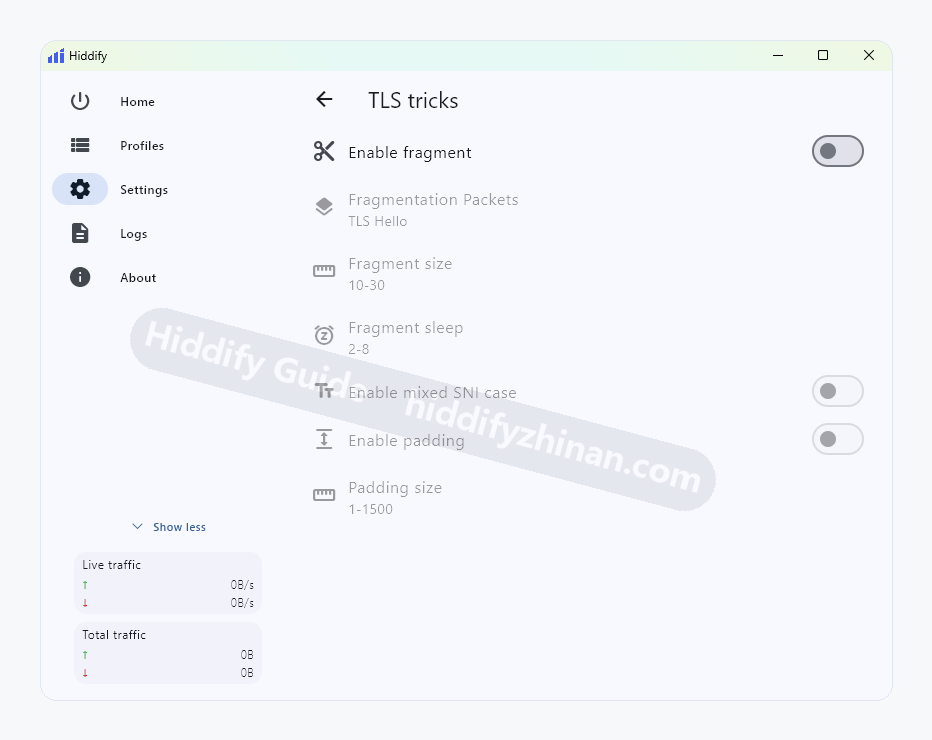
Restore a Diagnosable State
If several settings changed together, disconnect and restore the recorded proxy, routing mode, System Proxy, DNS, Inbound, and TUN values, then restart Hiddify. Confirm the profile update time and proxy baseline first. Keep one target fixed, change one control per attempt, and record the result. Stop adding changes if recovery itself fails, and preserve the remaining difference plus error.