Hiddify Guide

Latest Hiddify Download: Recommended Packages and Download Sources

Choose Setup x64 for most Windows PCs, PKG for macOS, DEB for Debian or Ubuntu, and arm64 APK for most Android phones. Less common architectures and portable files appear below.

Current release

v4.1.1

Published
2026-03-05
Installable files
12
Platforms
5

Start with the Recommended Package for a Typical Device

Choose Setup x64 for a typical Windows PC, PKG for macOS, DEB for Debian or Ubuntu, arm64 APK for a recent Android device, or the App Store for iPhone and iPad. Open a complete platform page only when another install format or CPU architecture is required.

Package selection

Choose by Operating System, CPU, and Install Type

Confirm the operating system first, then CPU architecture, and finally standard, packaged, or portable installation. File size cannot replace those decisions. Verify the exact filename and official source afterward. If the system rejects the package or Hiddify does not launch, return to platform selection; speed, a matching digest, and the release number do not prove device compatibility.

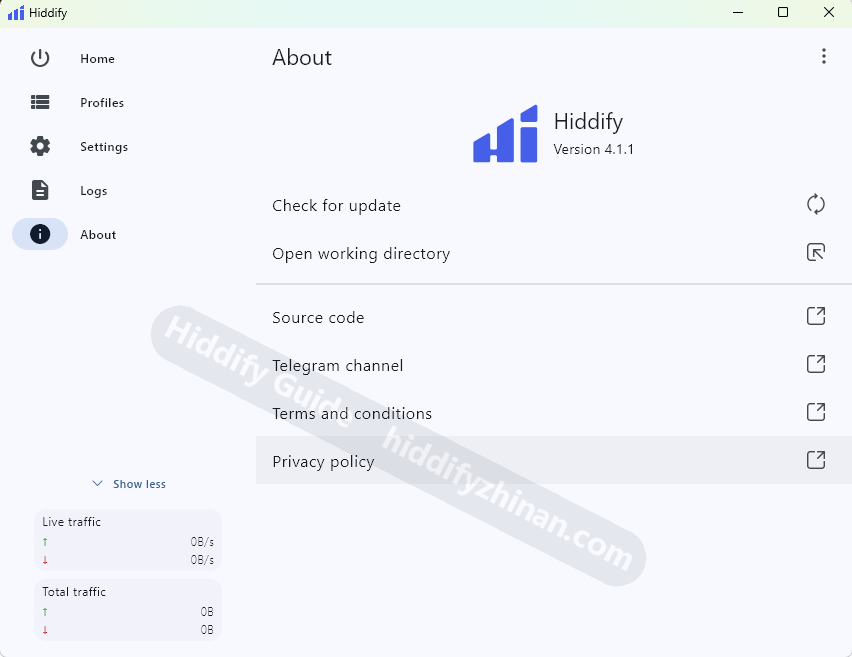
Hiddify interface and version information for confirming the app after download
After installation, open the Hiddify About page to confirm the app identity and current version.
DeviceRecommended for most usersOther formats
WindowsSetup x64Typical Windows x64 PCsSee all formats
macOSPKGStandard macOS installationSee all formats
LinuxDEBDebian, Ubuntu, and related systemsSee all formats
Androidarm64 APKMost recent phones and tabletsSee all formats
iPhone / iPadApp StoreApple mobile devicesSee all formats

Special Install Types and Older Devices

MSIX, DMG, AppImage, portable archives, older ARM, x86_64, and universal packages each serve a real case, but they should not appear before the usual choice. Complete platform pages keep common packages first and explain when a special package is appropriate.

After download

Install, Import a Profile, and Confirm Real Access

  1. 1

    Install for the Current Operating System

    Run the recommended package. For a portable or archived build, extract it to a stable folder as instructed.

  2. 2

    Launch Hiddify and Import a Profile

    When the add-profile control appears, import the complete profile URL and wait for it to refresh.

    Open the Hiddify profile import guide
  3. 3

    Choose a Proxy and Test the App

    Choose a proxy and connect, then load a real page in the browser or app that needs the proxy; dashboard status alone is not the finish line.

    Continue with the Hiddify beginner guide

Check SHA-256 After a Mirror or File Warning

A normal official-source download can proceed to installation. After an accelerated mirror, interrupted transfer, browser warning, or doubtful copy, compare SHA-256 for the same filename on its platform page; a digest cannot determine whether the OS, architecture, or install type is correct.