


Hiddify v4.1.1 · 2026-03-05
Hiddify Downloads and Setup Guides
Hiddify is a proxy client for desktop and mobile devices and needs a subscription to connect. Choose a download for your device, follow the first-connection guide, or find help for the symptom on your screen.
Choose Your Platform
- WindowsDownloads and package choice
- macOSDownloads and package choice
- LinuxDownloads and package choice
- AndroidDownloads and package choice
- iPhone / iPadDownloads and package choice
First setup
From Download to a Verified Connection
Start with the right package and finish by opening a web page. Already have a profile? Go straight to the connection check.
Start with step one- Choose a package
Match the package to your operating system and CPU. On Windows, Setup, MSIX, and portable archives serve different installation needs.
Choose a platform and common package - Install and confirm the version
Install Hiddify and open the dashboard. If it will not start, use the installation guide for your platform.
Install on Windows - Import a profile and choose a proxy
Add a profile from the clipboard or manually, refresh it, and choose a proxy.
Import a profile - Connect and verify real traffic
Connection state is one signal; retest in the target browser or app.
Verify system proxy
Product UI guides
Complete Core Tasks in the Hiddify Interface
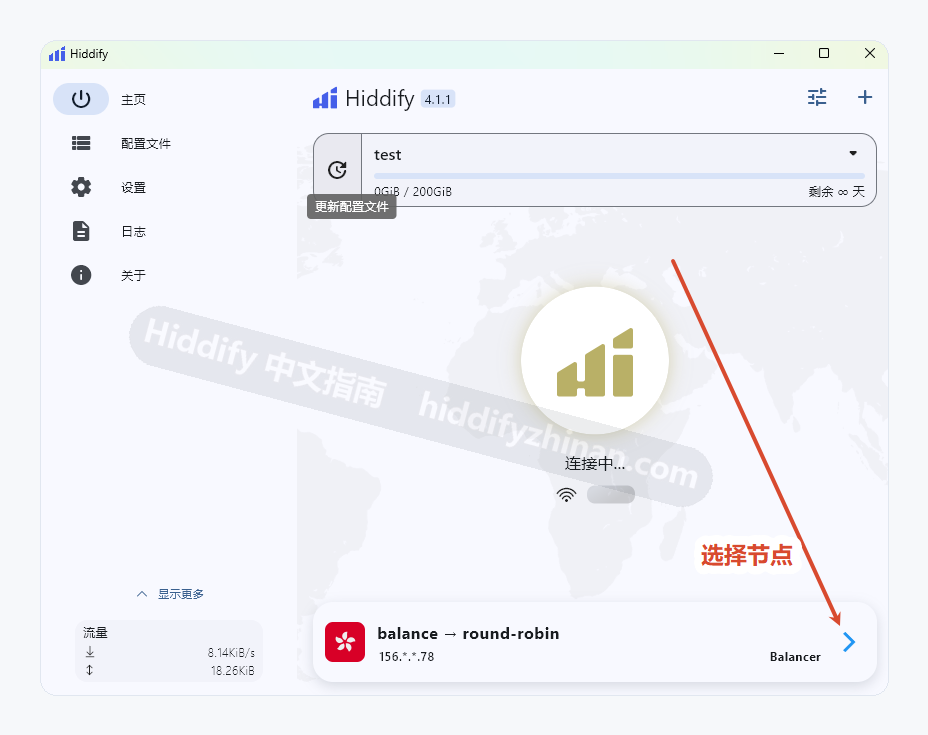
Use the screenshot to find the profile and proxy controls. If a profile exists but the list is empty, open the missing-proxies guide.
Profile Import and First Connection
Add a profile, refresh proxies, and verify the first connection.
Open the complete guideConnection Problems
Check the proxy, routing mode, system proxy, and network state in order.
Start troubleshootingTroubleshoot by symptom
Missing Proxies, Failed Connections, or No Browser Access
An empty list, a failed connection, and a connected client with no browser access need different checks. Start with the symptom you can see.
Direct answers
Common Download, Profile, and Connection Questions
Find the current release and choose the right Windows, Android, or iOS download route.
Read all 18 questionsWhat is the latest Hiddify release?
The download page lists the current stable release, publication date, and platform files. Check the release guide for changes to an installed version.
Which Windows package should I use?
Use Setup on most Windows x64 PCs, MSIX for packaged installation, or a portable archive when you need to run without installing.
How do I choose arm64, arm7, or universal on Android?
Most recent Android phones use arm64; older devices may need arm7. Check your device architecture before choosing an APK.
Is an iOS package included in GitHub v4.1.1?
Use the App Store link from the official Hiddify README. Android APKs and desktop packages cannot be installed on iPhone or iPad.
Continue Setting Up Hiddify
Beginner guide
Import a Hiddify profile and choose a proxy
Continue from profile entry to a real connection check.
Release update
Decide whether to update to v4.1.1
Compare the installed version, prepare the profile, verify the result, and recover if the update fails.