

Check the order, expiry date and reset date
Before changing Hiddify settings, have the provider account and the original payment record ready. A successful payment in your bank or wallet does not, by itself, establish that the provider completed the order. Providers use different labels, but the sequence is the same:
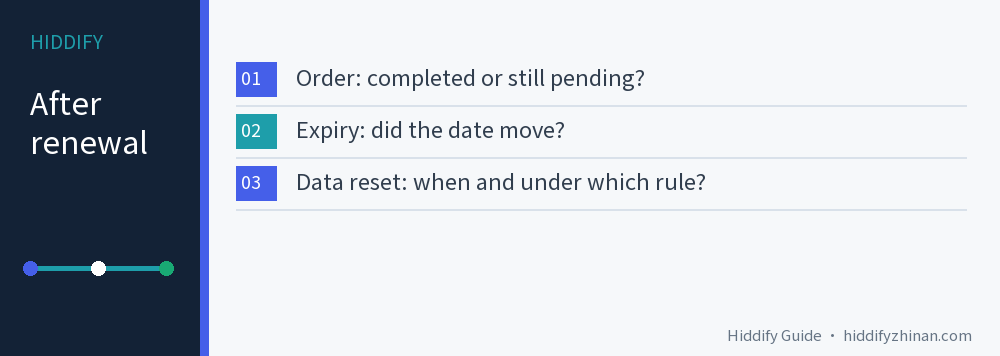
- Open the provider's Orders or purchase history. Match the original order number and product name to its provider-side status.
- Compare the account's expiry date, remaining data and next reset date with the plan terms. Record each value separately; a later expiry is not proof of an immediate data refill.
- If the provider order is still pending, keep the payment record and use its stated processing window before asking support about that original order. Do not pay again to test it.
Check what you actually bought. Extending a monthly plan, buying a separate data reset, adding a data pack and changing plans can produce different results. Price and payment time cannot tell you which benefit the order included. If the order is still pending, keep the payment record and use the provider's stated processing window; refreshing Hiddify cannot complete an unfinished provider order.
Why a completed renewal can leave zero data
The expiry date says how long the service remains valid. The reset date says when usage for a billing cycle is cleared. They need not be the same date. Suppose a plan originally expires on September 18, with its next data reset on September 12. You renew on September 7 and expiry moves to October 18, while this cycle's allowance has already been exhausted. If that plan extends time without an immediate reset, a zero balance until September 12 is consistent with its rules. These are illustrative dates, not a record from any provider.
Xboard's order-processing source has separate paths for period purchases and dedicated traffic resets, and its renewal behavior depends on configuration. It illustrates why neither “renewal always refills data” nor “renewal never refills data” is a safe universal rule. Its reset implementation also allows different reset periods and a no-reset setting. Your own provider's plan terms and account dates decide this case. A reset is not necessarily on the first of the month or 30 days after payment.
If the account says only “one day left” and you need service today, ask the provider for the exact reset time and time zone. Do not infer an hour from a rounded countdown.
Choose the next action from the provider account
If a subscription renewal order is complete but the provider's data balance is still zero, check the plan's reset date and compare it with the order terms. If those records do not match the benefit purchased, stop refreshing Hiddify and ask the provider to correct the result. Each row below applies only when its condition is true.
| What you see | Next action | What would resolve it |
|---|---|---|
| Payment was taken, but the provider order is pending or unpaid | Check the published processing time. If overdue or unstated, give support the original order number and payment time. Do not pay again to test it. | The original order completes, or support explains why it did not and what happens next. |
| The order completed and expiry moved; the plan says renewal does not reset immediately; the reset date is still ahead | Wait for the stated reset. If you need data sooner, first check whether a separate add-on or reset is offered and what it costs and does. | Available data returns under the plan's reset rule. |
| The order or plan promises an immediate reset, yet the provider balance stays empty; or the stated reset time has passed | Save the promise, order and account view, then ask support to inspect the benefit or reset job. | The provider balance matches the purchased benefit, or support gives a specific explanation and remedy. |
| The provider account shows usable data, but Hiddify still shows the old amount | Refresh the existing subscription in Hiddify, then try one real destination. | The client display and actual access are checked as separate outcomes. |
If an order completed but expiry did not move as promised, ask support to inspect the order; that is not merely a future data reset. After a plan change, confirm when the new plan takes effect and how remaining days and data are treated before using the old plan's reset date.
A subscription-link reset changes the address used to fetch a configuration. It is different from resetting the plan's data allowance. Deleting nodes, reinstalling Hiddify or replacing a private subscription link will not settle an account-side entitlement question.
Refresh Hiddify only after the account is right
Once the provider account shows usable data, refresh the subscription you already have in Hiddify so the client can fetch the provider's latest information. Keep the current configuration while you do this. If the displayed number changes, connect through a node that previously worked and open a site or app you normally use. The displayed allowance and a successful connection answer different questions: a fresh number does not guarantee that a route works, and an old number does not prove the server has no allowance.
If the site works after the saved subscription refresh, check that the provider balance is usable and the Hiddify display is current. If the provider balance is usable and the subscription refreshes but the site still fails, tell support both the account and connection results; then follow the English connection troubleshooting guide to narrow down the connection problem. If data begins disappearing faster than expected, count upload as well as download and check the selected route's multiplier. The Chinese guide to data multipliers explains that separate calculation; it does not decide whether this renewal order was fulfilled.
Give support one complete account question
Support can act faster when the purchase and balance refer to the same order. Include your actual order number, product name, payment time and time zone, payment-record status, provider-side order status, old and new expiry dates if available, remaining allowance, next reset date and the relevant plan wording. If the account omits a value, write “not shown” rather than guessing. A short message can then ask:
I renewed my proxy plan, but the available data has not changed as the attached order and plan terms led me to expect. Please confirm whether my original order completed and whether that purchase includes an immediate data refill. If the allowance resets on a cycle, please give the exact reset time and time zone. If the order or reset failed, please explain what will be corrected.
Attach the order and relevant plan terms, but hide your password, private subscription URL and unrelated payment details. Keep the original payment proof and configuration while the provider investigates. Once the account benefit is clear, a single client refresh and real access check will tell you whether anything remains to fix in Hiddify. The English Hiddify article index covers other account and client tasks.
Common questions
Does renewing always refill a proxy subscription's data?
No universal rule applies. A renewal may extend expiry while the allowance still follows its existing cycle, or the provider may sell an immediate reset. Read the specific order and plan terms, then compare the account balance and reset date.
Should I buy the same plan again when the order says pending?
First use the provider's processing window and ask support about the original order with its payment record. A second purchase can create another order without fixing the first one's status.
Why does Hiddify still show zero when the provider shows available data?
The client may be showing older subscription information. Refresh the saved subscription once, then test a real destination. If the provider balance and client display still disagree, give support both observations; avoid assuming the balance is exhausted from the display alone.