Hiddify latency vs speed: what each number tells you
Latency describes how long communication takes. Hiddify displays this delay in milliseconds (ms) after a latency test. A lower result can be helpful for interactions that depend on quick responses, but the number does not say how much data the route can carry each second.
Transfer speed describes the actual data rate achieved during a transfer, commonly reported in megabits per second (Mbps). It matters when downloading a large file, loading high-quality video or moving other substantial amounts of data. Bandwidth is the path's capacity, while throughput is the rate actually achieved under the current conditions.
| Measurement | What it describes | What it can help you judge | What it cannot promise |
|---|---|---|---|
| Latency (ms) | Communication delay | Whether a route responds quickly during the test | Download capacity, smooth playback or performance on every destination |
| Throughput (Mbps) | Data transferred per second | Bulk-transfer performance on the tested path | Identical performance on another website or service |
There is no fixed formula that converts a latency result into download speed because the two measurements describe different properties. A route can answer quickly but deliver a large transfer slowly. Another route can have slightly more delay yet sustain the transfer needed for a stream or download. Distance and congestion can affect delay, but one number cannot identify which condition applies to a particular route.
Hiddify normally selects a node automatically, and that is a practical starting point. Manual selection becomes useful when the current choice does not handle a specific task well. Neither automatic selection nor the lowest displayed delay guarantees the best overall result.
Read the node list without turning it into a speed ranking
In Hiddify 4.1.1, a connected home screen can show an active proxy card. Click the card body or its arrow to open Proxies; the flag icon has a different function and is not the entry to the list. The official usage path also places available nodes under Proxies after connection.
The reference screenshot uses a Chinese interface, where 代理 corresponds to Proxies. Its lightning button at the lower right runs a latency test, and the control at the upper right can sort the list by name or test result. The green values beside the routes are latency examples from the captured interface, not transfer-speed scores.
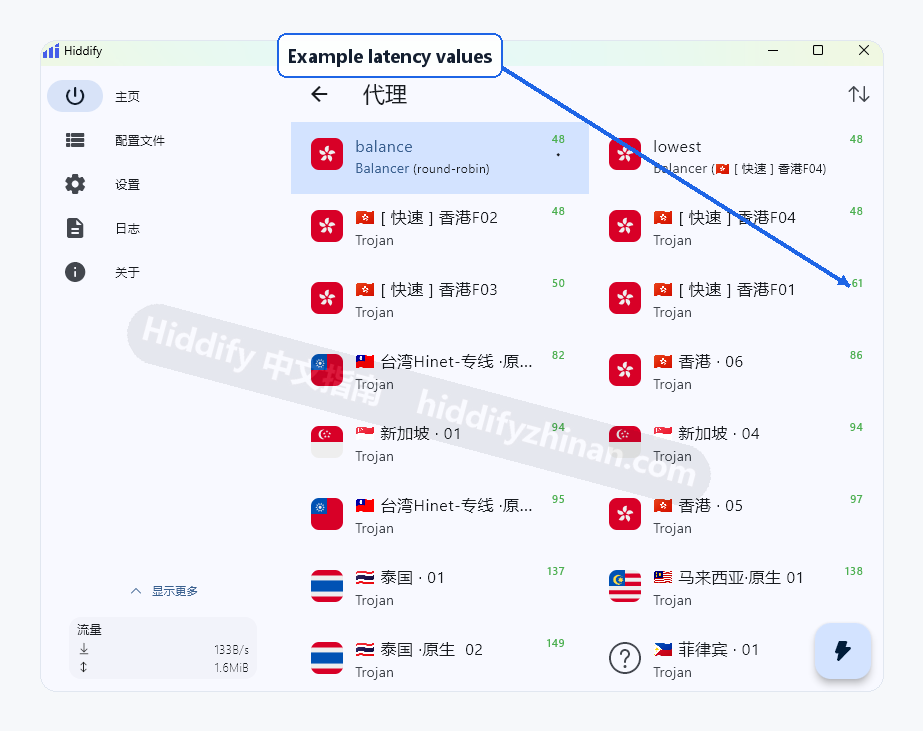
Use the delay results to form a shortlist rather than a winner's table. For example, a concrete node such as [快速] 香港F02 represents one manually selectable route, while balance is a load-balancing group rather than the single route needed for a direct comparison.
The list belongs to the profile currently selected in Hiddify. If an expected node belongs to another subscription, switch to that subscription from Profiles in the left navigation before returning to Proxies. If the current profile contains no nodes at all, follow the guide to fix an empty Hiddify proxy list instead of trying to rank an empty list. Keep subscription addresses and other credentials private.
Compare two routes on the task that matters
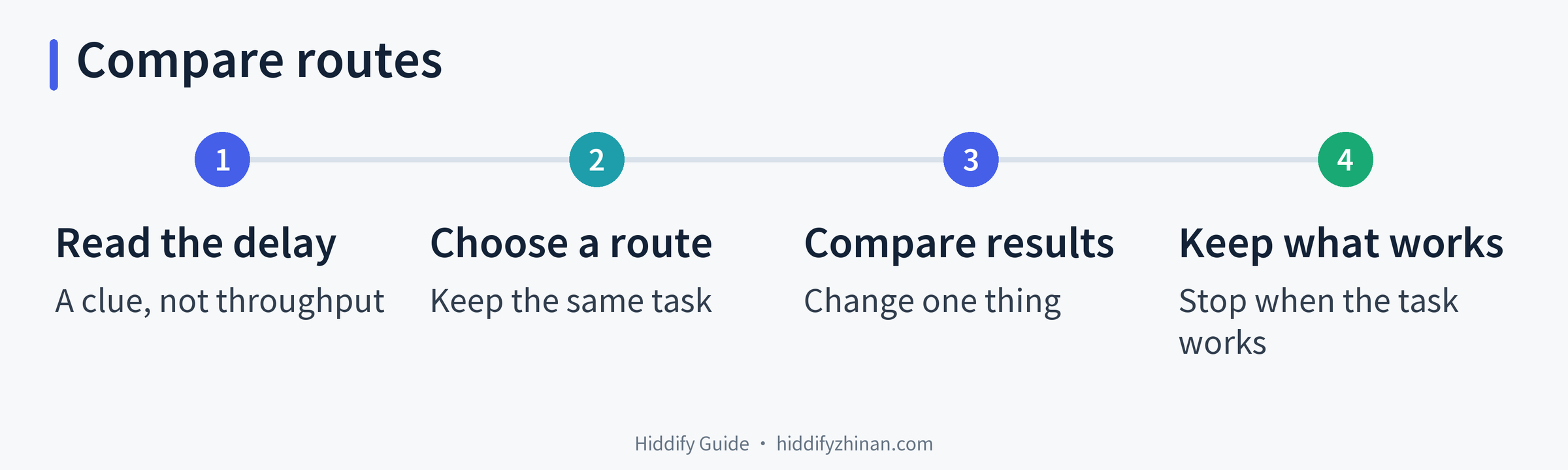
A controlled comparison answers a narrower and more useful question than “Which node is fastest?” It asks which of two available routes handles the same task better on the same device. Keep the target and unrelated settings unchanged so that changing the route is the meaningful difference.
- Open the current profile's node list. While Hiddify is connected, open the active proxy card from the home screen to reach Proxies. If the list is already open, remain there.
- Choose one concrete route. Select a named node rather than the balance group when the goal is to compare individual routes. There is no need to disconnect before every selection.
- Run the real task once. Open the same download, stream, website or app action that felt slow. Observe the outcome that matters: whether the transfer completes, playback buffers, or the target remains usable. A green latency value or a Connected label alone is not this completion signal.
- Return to Proxies and choose a second concrete route. Keep the same device, target action and relevant Hiddify settings. Change only the route for this comparison.
- Repeat the same task and keep the route that works better. A better outcome suggests that the selected route suits this task under the current conditions. It does not, by itself, prove why the other route was slower. Stop comparing once one route meets the need.
Consider a hypothetical stream: Route A has the lower displayed delay, starts promptly, but then buffers during playback. Route B has a somewhat higher delay and plays the same content smoothly on the same device. For that viewing task, Route B is the useful choice even though it does not lead the latency list. This example compares observable behavior without assigning invented performance figures or diagnosing the bottleneck.
If neither route can reach the internet, return to the previously working route. When all available routes fail, troubleshoot a Hiddify connection that cannot reach the internet. If only certain applications bypass Hiddify, the separate guide to choose between TUN and System Proxy addresses that routing decision.
When a separate speed test adds useful evidence
The task comparison is usually enough when the goal is simply to make one download or stream work. A separate throughput test becomes useful when the remaining question is about bulk-transfer capacity rather than the performance of one destination.
M-Lab's NDT test reports download speed, upload speed and latency separately. It measures single-stream bulk-transport capacity between the device and the test infrastructure. That result describes the tested path; it does not guarantee the same rate to a website, streaming service or download host elsewhere.
Running NDT transfers test data. M-Lab also collects the test connection's IP address and results and publishes measurement data, so review its privacy policy before deciding whether to run the test. One purposeful comparison is more useful than repeatedly benchmarking after the real task already works.
For the underlying terminology, Cloudflare's explanation of latency, bandwidth and throughput provides a useful distinction: delay, capacity and achieved data rate are related to network performance, but they are not interchangeable measurements.
Frequently asked questions
Can I calculate download speed from the latency in milliseconds?
No. Milliseconds measure communication delay, while download speed measures the amount of data transferred per second. A low delay can coexist with low throughput, so there is no fixed conversion from one value to the other. Test the actual transfer when download performance is the question.
Does the lowest-latency node always work best?
No. The lowest result can be a useful candidate, especially when responsiveness matters, but it is not a guarantee of download speed, service compatibility or stable playback. Use latency to shortlist routes, then choose according to the result of the same real task. Hiddify's automatic selection is a reasonable starting point, not a promise that one route will lead every kind of work.
Why can a speed test look good while one website is still slow?
The speed test and the website can involve different destinations and current path conditions. A strong result to the test server therefore does not establish how another service will behave, and the result alone cannot identify the cause of that service's slowdown. Compare the website action on another route while keeping the device and task unchanged.
Choose the route that works for your task
A Hiddify latency value answers a delay question, not a complete performance question. Let it narrow the options, then compare the same download, stream or website action on another concrete route. Keep the route that handles the task and stop testing once the result is sufficient.
That approach leaves the ranking in its proper role: a clue that helps begin the choice. The outcome of the real task finishes it. More practical explanations are available with the other Hiddify guides.