

If your Hiddify subscription link leaked, check the provider account you already used; do not sign in through a replacement link sent by a stranger. Hiddify is the client; the provider that issued the link controls your account and the credentials behind it. The controls and names on that provider's website may differ from the examples below.
First, limit where the link can be seen
Take down any public message, document or screenshot that you can edit. Look for the full URL and its QR code: covering the printed URL while leaving a scannable code visible does not hide the subscription. If you shared it in a private chat, ask the recipients to delete it and avoid forwarding it. These actions reduce further exposure, but they cannot recall a copy someone already saved.
Use the provider's address you had before the incident, such as your saved account bookmark or receipt, to sign in. A stranger in a chat may offer a convenient “reset” page; do not enter account details there. If your login password was also exposed or you see an unfamiliar session, change that password through your provider and review its session controls. Treat the subscription reset as a separate question even after changing the login password.
The English profile import guide explains the client side of adding a replacement later. It cannot revoke the old link; that decision belongs to your provider.
Find out which secret the reset actually revokes
Three pieces of access may be involved. The account password lets you sign in to the provider's dashboard. The subscription URL or token lets a client fetch a configuration. The node credentials inside a configuration may still be stored on a device that imported them earlier. A provider may call a node credential a “connection password”; that is not necessarily your dashboard login password. A provider may rotate these together, separately or on different schedules.
| What changed? | What that tells you | What it does not tell you |
|---|---|---|
| Your account password changed | The old password should no longer sign in, subject to the provider's session rules | Whether the subscription URL and saved node credentials changed |
| The old subscription URL now fails | That download route is no longer serving the old request | Whether a previously imported node can still connect |
| The provider confirms old node credentials were revoked | The provider says the old connection secrets are invalidated | Whether every device has already received a new working profile |
On the provider's account page, find its subscription or security reset and read the explanation before using it. If the page does not state the scope, ask support: “Will this action revoke the old subscription URL, the node credentials already imported by other devices, and existing sessions? When should each stop working?” You do not need to send the private link to ask.
If your provider says its reset changes only the Hiddify subscription download URL, check whether previously imported node credentials remain valid and ask for their revocation. Stop treating a failed old download as a complete reset until the provider confirms the result. A new profile that works on your devices addresses your own access; it does not answer that separate old-credential question.
As one bounded example, the public XBoard security-reset implementation changes both a user's UUID and token before returning a new subscription URL. Your provider may run different software or custom code, and node changes can take time to propagate. This example cannot confirm what happened to your account. If the dashboard remains unclear, obtain the provider's answer rather than treating an old download error as complete revocation.
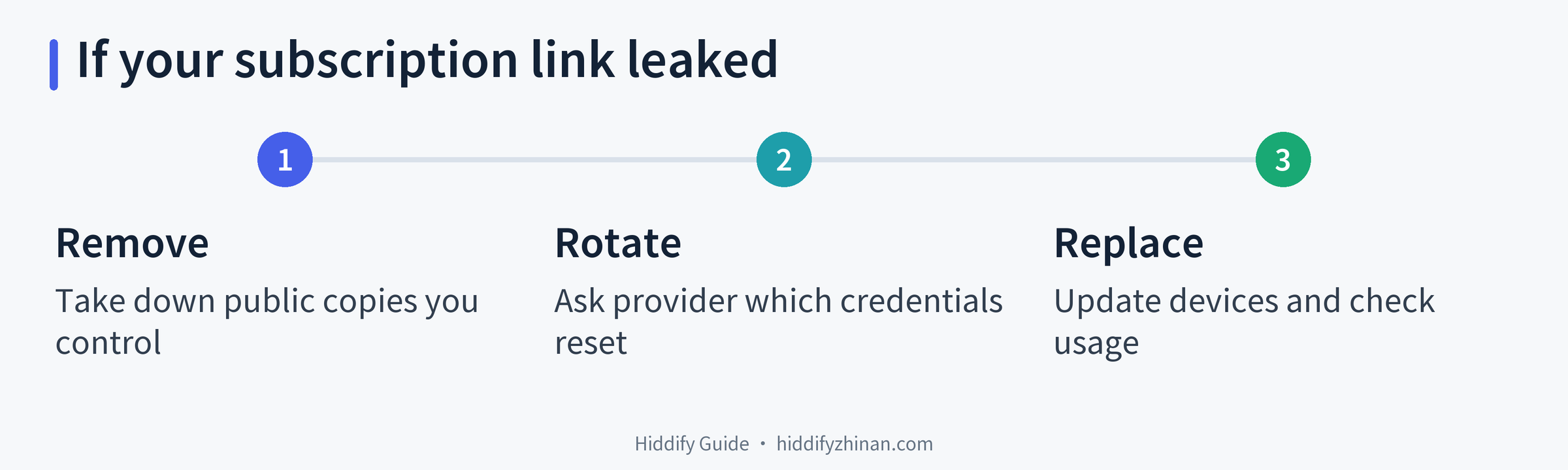
Editorial action card, not a provider screen. It contains no private subscription data.
Replace the link on your own devices
Once the provider issues a new private subscription, move the devices you control to it. Plan for an older device to lose service if its saved credentials are revoked before you update it. You do not need to reinstall Hiddify or factory-reset a device merely because the subscription changed.
- List the devices using this subscription. Include a phone, computer or router you still use. This prevents fixing only the device in your hand.
- Open your provider's account and copy the new URL. Keep it in a private place and import or replace the profile on one of your devices. If the old profile still points to the revoked URL, pressing Update on that profile can keep requesting the old address. Use the Hiddify profile import guide if you need the client controls.
- Check the new profile before clearing anything. Confirm that the expected profile and nodes load, connect, and open a website or app you actually use. Seeing a node list or a connection icon is a narrower signal than a successful page request. If the new address fails to import, check its source and the provider's service status without posting the link to a public checker.
- Update the remaining devices. Replace old entries as each new profile proves usable. A revoked profile is not a safe fallback. Afterward, note the provider's reported traffic and time so you can distinguish later activity from what your own devices used.
If a replacement profile loads but a destination still will not open, use the connection checks for that separate symptom. Keep the provider's original error text, but remove the URL and QR code from any screenshot you share.
If the new Hiddify profile loads and a fresh website opens, note that result and continue with the next device; if it fails to load or the website does not open, check the provider address and follow the matching connection branch before removing the old entry.
If usage keeps changing, contact your provider
A traffic figure rising after the reset deserves attention, but one reading does not identify who used it. Pause downloads you started and check whether another device of yours is still connected before comparing timed readings. The dashboard may report data with a delay. Likewise, a flat figure is not proof that nobody copied or used the old configuration.
Give support a short timeline: roughly when the link was exposed, when the reset was performed, which of your devices have been updated, and what the usage counter shows at two recorded times. Ask the provider to confirm old-token and old-node revocation, active-session handling and the normal reporting delay. For example:
I reset my subscription after the link was exposed and have begun updating my personal devices. Please confirm whether the old download token, saved node credentials and existing sessions are revoked, when that takes effect, and whether my usage readings may be delayed. I can provide the times and redacted errors through your private support channel.
Do not include the full link, a scannable QR code or node passwords in a public ticket, online converter or issue report. If your provider cannot say which credentials were rotated, keep the incident open with them; changing a Hiddify setting cannot supply that missing answer. For other client tasks, return to the Hiddify guide library or the article directory.
Questions after a subscription leak
Does hiding the URL text protect a shared QR code?
No. If a recipient can scan the code, the private subscription may still be available even though the written URL is covered. Remove or block both forms in copies you control. Treat a code you already shared as exposed while the provider handles revocation.
Is changing my account password enough?
It addresses account sign-in under the provider's password and session rules. It does not necessarily rotate a subscription URL or the node credentials already saved in a client. Ask the provider which of those changed and when old access stops.
The old link fails now. Can the old nodes still work?
Potentially. The failed request checks the route used to download configuration. A device may already hold connection details. Ask the provider whether its reset revokes those details too, rather than testing the old secret on a third-party site.
Does a rise in traffic prove someone else is using my account?
No single reading proves that. First account for your own devices and the provider's reporting delay. Send the timed readings to support and ask what they can verify about old credentials and active sessions.