

Read Hiddify's privacy policy as a project statement. If you cannot establish where a file came from, its SHA-256 differs from the matching official asset, or you cannot identify the provider behind a profile, pause before installing or importing it. A successful check narrows uncertainty. It does not certify an app, server or connection as completely safe.
Four separate questions behind “safe”
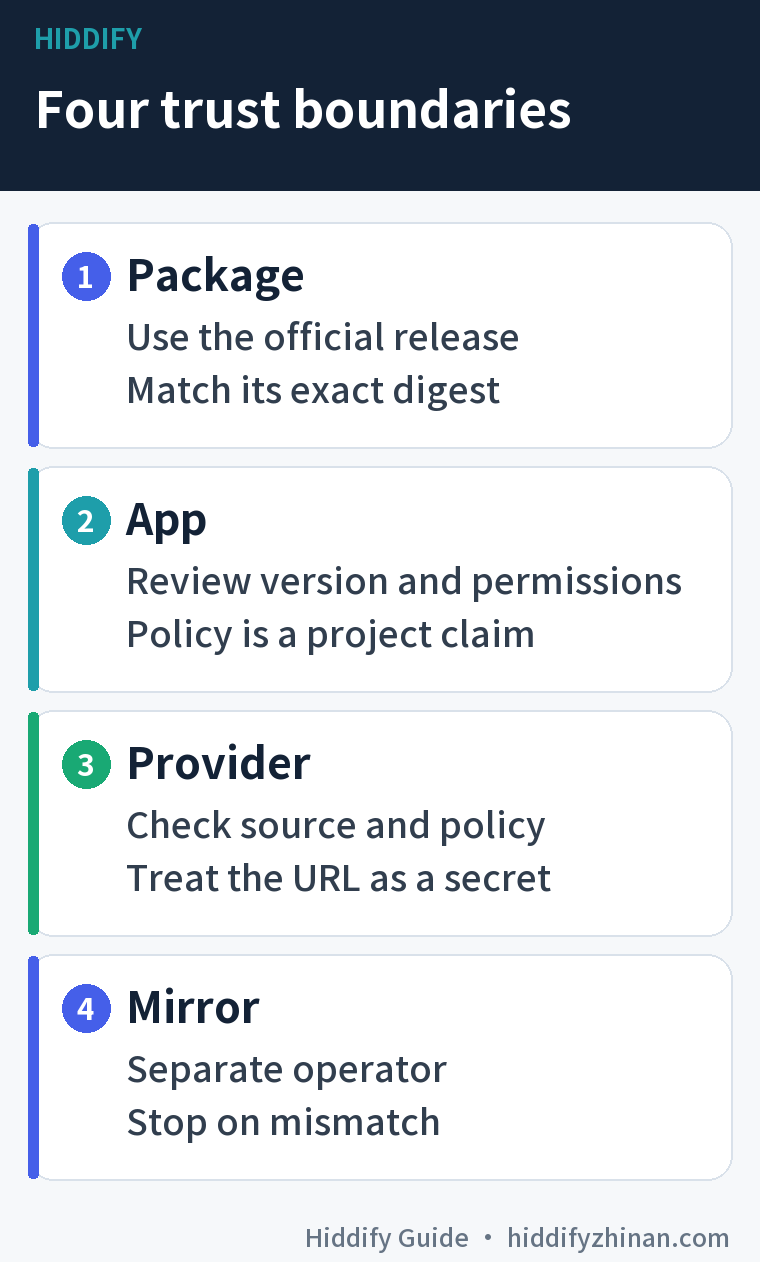
The question “is Hiddify safe?” becomes useful only when you name the file and service you intend to use. The Hiddify app is a client on your device. The person distributing a package, the app project, a subscription server and a download mirror can be different operators. Treating a familiar app name as an endorsement of every profile or mirror hides the decision you actually need to make.
| What you are trusting | What you can check | What that check does not establish |
|---|---|---|
| The downloaded package | The exact official release asset and its digest | That the program has no flaws or your device is uncompromised |
| The installed app | Version, device permission prompts and the project's statements | Independent verification of every privacy claim |
| The subscription provider | Its identity, terms and the origin of your private link | That Hiddify operates or endorses the provider |
| A download mirror | The destination and whether its file matches the official asset | That the mirror has the same operator or data practices as the project |
Our privacy notice covers this guide website. It does not describe Hiddify app telemetry or a provider's servers. The download guide helps you choose a package for your platform; this page helps you decide what to trust before you use that package and a profile.
Verify the exact release file and SHA-256
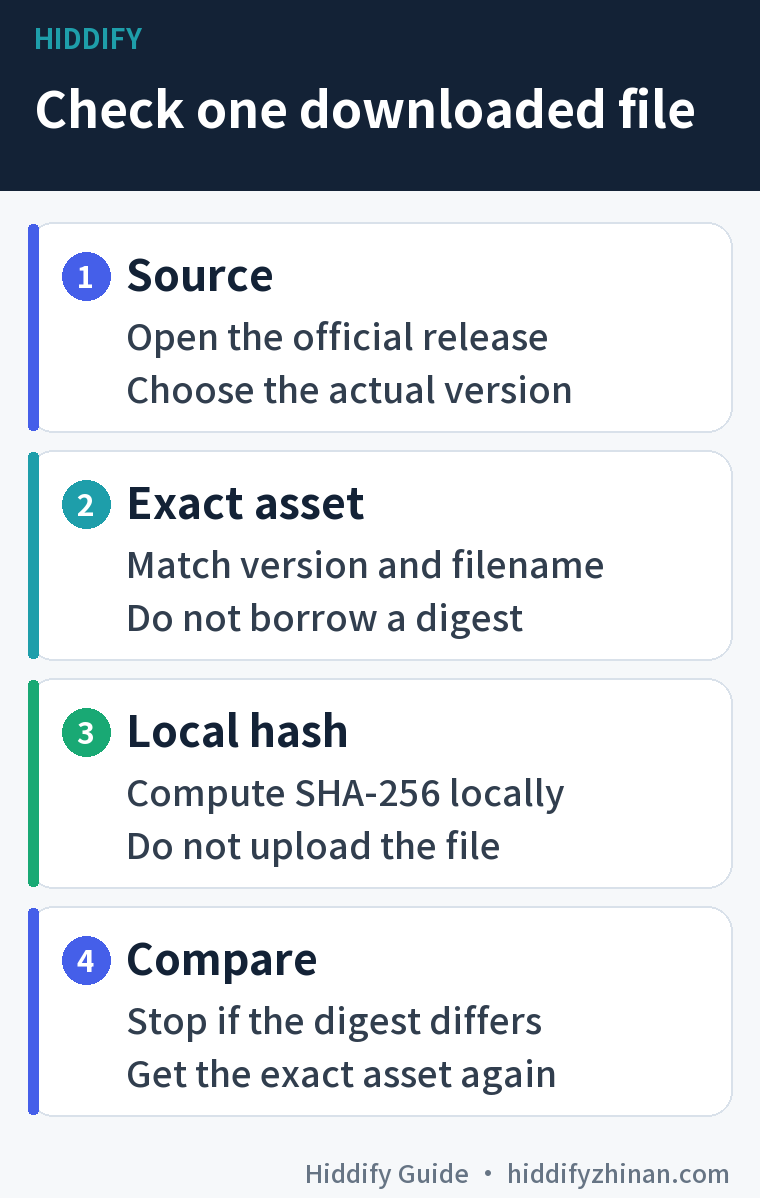
A SHA-256 digest is a fingerprint computed from the file on your own device. Compare it with the digest of the same version and same filename in the official release record. A mismatch is a clear reason to stop. A match establishes agreement with that published asset digest; it does not prove that the software is vulnerability-free.
-
Open the Hiddify app repository and follow its Releases link. Check the address is under
github.com/hiddify/hiddify-app. Record the tag and the exact asset filename you chose. A search result or mirror labelled “official” is not enough to identify the operator. -
Open that tag's release API entry. In the v4.1.1 API example, use your browser's Find command (
Ctrl+F, orCommand+Fon a Mac) to search for the complete filename. Underassets, confirm that the matchingnameand thedigestare in the same asset object, before the next asset begins. This is a trimmed excerpt from one real v4.1.1 asset object; its other fields are omitted:{ "name": "Hiddify-Windows-Setup-x64.exe", "digest": "sha256:3f6182b610168c0bb386ffea1fc7f68318d3df23c15840c8b13a3be51b080a96" }If you use another release, substitute its actual tag in the API URL and find your file's own entry. If there is no matching item or its
digestis absent, do not borrow a value from another package or version; stop this comparison until you have an authoritative value. -
On Windows, calculate the digest locally with PowerShell. This command assumes the Setup x64 file is in your account's Downloads folder. If you saved a different asset or location, change the path to the exact file you have:
Get-FileHash -Algorithm SHA256 -LiteralPath (Join-Path $env:USERPROFILE 'Downloads\Hiddify-Windows-Setup-x64.exe') -
Compare the command's
Hashwith the 64 hexadecimal characters aftersha256:in that asset'sdigest. Hexadecimal letter case does not matter. If they differ, do not run the file. Discard the unrun copy and get the exact asset again from the official release. If you already ran a file of unknown origin, stop importing profiles or entering credentials and seek device security help before continuing.
For a worked identification example, the official v4.1.1 API entry read on 24 September 2026 listed Hiddify-Windows-Setup-x64.exe with sha256:3f6182b610168c0bb386ffea1fc7f68318d3df23c15840c8b13a3be51b080a96. We did not download, install or test that file for this article. The value does not apply to the MSIX, Portable archive, an Android APK or a later release. Microsoft's Get-FileHash documentation explains the local Windows command.
Read app permissions and privacy claims carefully
In its privacy policy, dated 27 February 2026, Hiddify says it does not collect or store VPN activity data and does not log browsing history, traffic destinations, content or DNS queries. The same page says crash data is sent through Sentry. It also says that fetching a subscription can disclose the client's IP address and Hiddify version to the server supplying the link. These are the project's own statements. A third-party provider needs its own assessment.
Permissions depend on the platform and the version. For example, the v4.1.1 Android manifest declares camera, notification, installed-package-query, boot-receiver, network and foreground-service permissions, as well as a VPN service. The policy's short explanation of camera use is not a full inventory of the manifest. Conversely, a source declaration does not tell us which prompts your phone actually showed or what an installed binary did. Read the permission request on your device. If you are not scanning a QR code, you can defer the camera grant; if a request seems unrelated to what you are doing, pause and check the version and feature before agreeing.
If you rely on per-app routing or private-space separation for sensitive work, do not infer the path merely from a mode label. A user report about private-space and per-app split tunneling is a reason to verify your own version and setup where those guarantees matter. One report does not establish a universal defect. If you cannot verify a sensitive route or its provider, avoid using that configuration for the sensitive task.
Judge the provider and any download mirror separately
Hiddify the client is not automatically the company supplying your nodes or subscription. The project's policy explicitly tells users of third-party VPN services to check those services' policies. Before importing a link, identify who issued it, how to contact them, and what they say about retention, billing and service duration. Treat the subscription URL like a credential: keep it out of public issue reports, screenshots, online converters and shared logs. Once you trust its origin, use the profile import guide for the client steps. A link being importable says nothing about its operator.
A mirror adds another operator. It may serve the same bytes as the official release, an older file or a different file altogether. Comparing the downloaded mirror file with the exact official release asset's digest can establish agreement for that one file. It does not certify the mirror's website or anything you type into it. When the official release is reachable, taking the direct route removes one separate trust decision.
When to proceed and when to pause
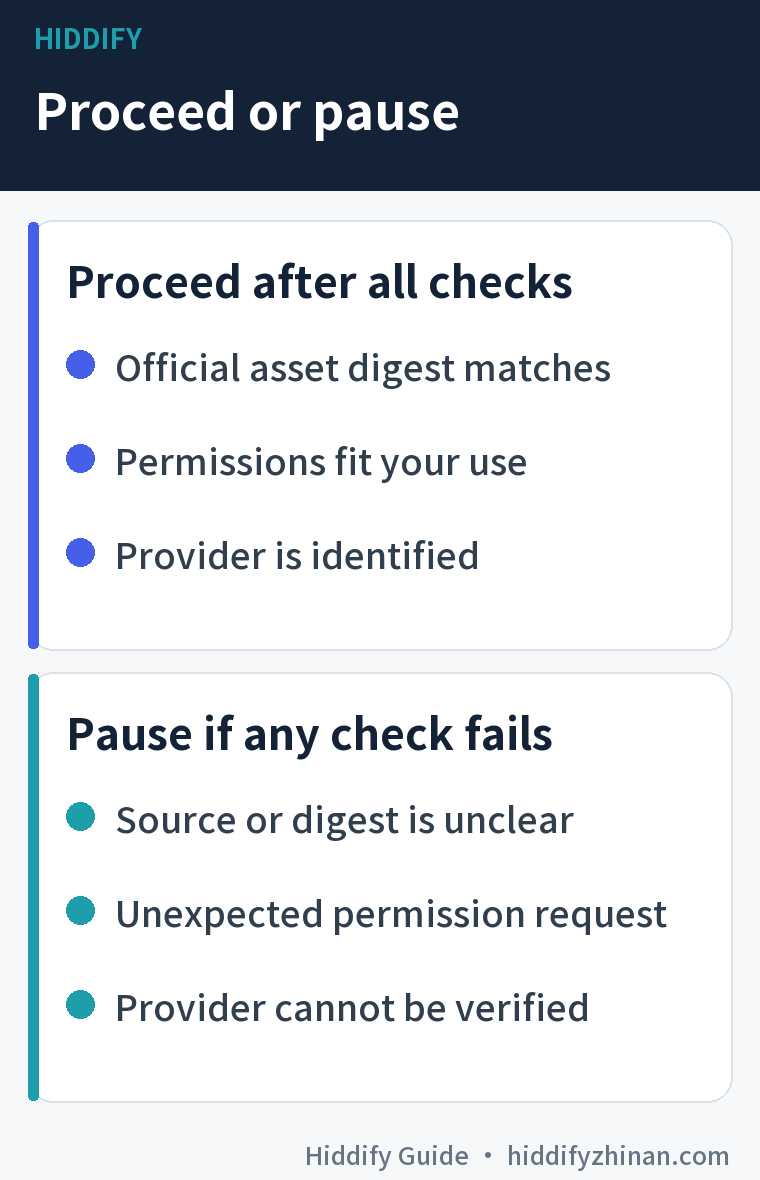
You can proceed within a clearly understood risk boundary when the package has a traceable official release, the local digest matches that exact asset, the permissions make sense for your use, and you know and accept the provider's practices. Keep the version and source in your own notes. A future update is a new file and needs its own release and permission check.
Pause the corresponding action when the source is unclear, the digest differs, a permission request is unexplained, or the provider cannot be identified: do not run an unknown package and do not import an unknown private profile. If a suspicious file has already run, get device security help instead of trying to prove it safe by uploading your subscription or configuration to a third-party checker.
The useful answer to “is Hiddify safe?” is therefore specific to this file, this device and this provider. Record what you checked and revisit the relevant boundary when any of those changes. The beginner guides can then help with the next task using a source you have chosen to trust. That leaves you with a decision you can explain, rather than a permanent safety label you cannot verify.
Does open source make a Hiddify download safe?
It makes source available for inspection. It does not, by itself, prove that the binary you obtained corresponds to the source or that the code contains no flaws. Check the exact release asset first, then consider device permissions and the server you plan to use. A digest comparison is still not an independent audit.
Does a matching SHA-256 prove the app is safe?
No. It shows that your local file agrees with the digest you selected from the official release entry. It cannot evaluate the project, future updates or your subscription provider. If the tag and filename do not match, even that narrower comparison has not been made. Stop on a mismatch and obtain the correct file.
Is a free subscription link operated by Hiddify?
Importing a link into Hiddify does not establish any relationship with the project. A separate provider typically controls the servers, terms and support. Check who supplied the link and their policy before using it, especially for sensitive accounts or activity.